Fee season is when a school's front office feels the most pressure: long queues, cash to count, cheques that bounce, and parents who say they paid when the register says they did not. On 30 September 2026, CBSE gave schools a clear push towards fixing this.
CBSE Circular No. 12/2026, addressed to the heads and managers of all affiliated schools, advises them to promote digital payments for school fees and other services. It is based on the Department of Financial Services' Digital Payments Promotion Plan. There is no deadline, but it is a strong signal of where fee collection is heading.
This guide explains what the circular asks for, what the payment options actually are, and a practical 60-day plan to move your school to online fee payment while cutting fee disputes.
What CBSE Circular 12/2026 asks schools to do
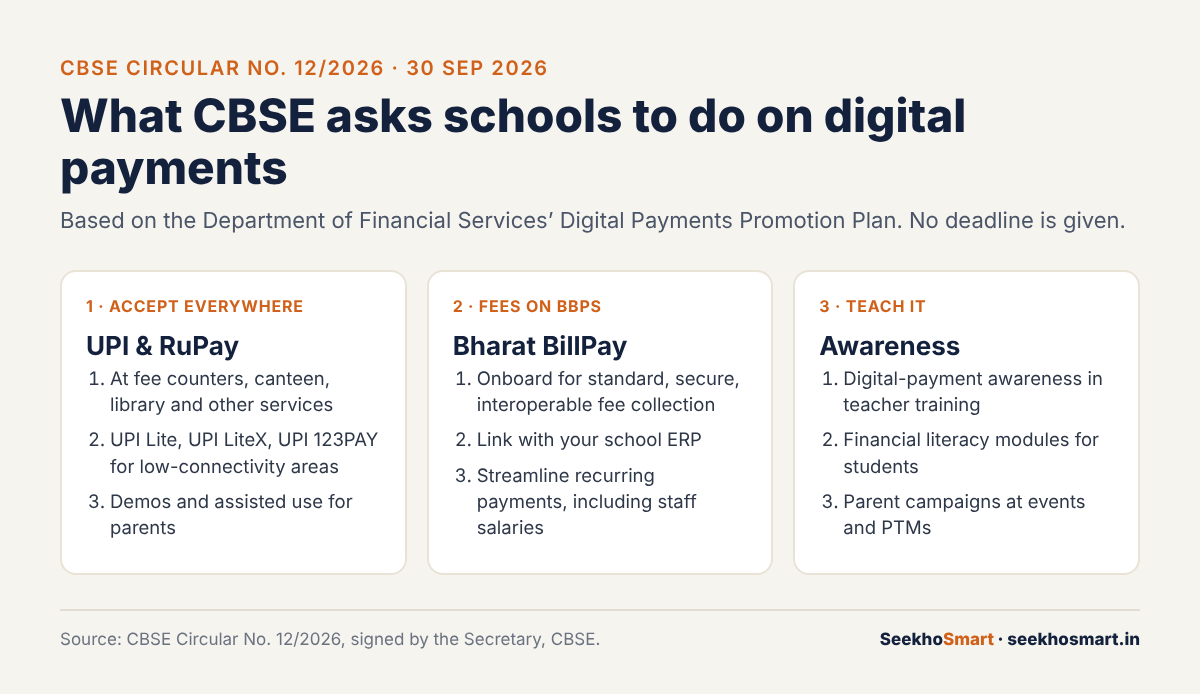
The circular lists three areas.
1. Accept digital payments at every counter
Schools are advised to accept UPI and RuPay cards at all payment points: fees, canteen, library and other services. For schools in low-connectivity areas, it suggests UPI Lite, UPI LiteX and UPI 123PAY. It also encourages demonstrations and assisted-use models, which means someone at the school helps parents pay the first time.
2. Collect fees through BBPS
Schools are advised to onboard onto the Bharat Bill Payment System (BBPS) for standard, secure and interoperable fee collection, and to integrate payments with their ERP systems to handle recurring payments, including staff salaries.
3. Build awareness
Schools should include digital-payment awareness in teacher training, promote financial literacy modules, and run awareness drives for parents at school events and parent-teacher meetings.
This is not the first nudge. CareerIndia notes that in October 2025, the Ministry of Education encouraged states, UTs and bodies such as CBSE, KVS and NVS to explore UPI for admission and examination fees.
The payment options, explained simply
| Option | What it is | Where it fits in a school |
|---|---|---|
| UPI (QR or collect request) | Instant bank-to-bank payment from any UPI app | Fee counter, canteen, events |
| RuPay card | India's domestic card network | Fee counter, online fee portal |
| BBPS (Bharat Connect) | Interoperable bill-payment network with an "education fees" category | Term and monthly fees, paid from many apps and bank sites |
| UPI Lite | For small payments | Canteen and stationery |
| UPI 123PAY | UPI for feature phones, without the internet | Parents without smartphones or data |
A few details are worth knowing:
- BBPS is now branded Bharat Connect and is run by NPCI Bharat BillPay Ltd. It covers bill categories including education fees, gives instant payment confirmation, and supports recurring payments through standing instructions (overview). Once your school is listed as a biller, parents can pay from the apps they already use.
- UPI Lite is for low-value payments. NPCI's product page says each transaction must be below ₹500, which suits canteens, not term fees.
- UPI 123PAY brings UPI to feature phones. NPCI's product booklet lists payment by IVR call (in 11 regional languages), missed call, sound-based payments and feature-phone apps. For rural and semi-urban schools, this matters: a parent without a smartphone can still pay digitally.
Why online fees also cut fee disputes
Many fee disputes come down to three complaints: "I paid but you have no record", "Nobody told me about this charge", and "The late fee is unfair". Digital payment fixes the first one almost completely, and good process fixes the other two.
- Every payment leaves a trail. A UPI or BBPS payment has a transaction reference. If your ERP generates a receipt automatically against the student ID, there is nothing to argue about.
- Publish one fee schedule. Put every fee head, due date and late-fee rule in one document at the start of the year, and share it on WhatsApp, the school app and the website. Disputes drop when there are no surprises.
- Send reminders before the due date, not after. A polite reminder three days before costs nothing and avoids late-fee arguments later.
- Keep one cash option, clearly. Some parents will still want to pay in cash. Accept it at fixed hours with a printed receipt, so they are not left out.
A 60-day plan for school owners and principals
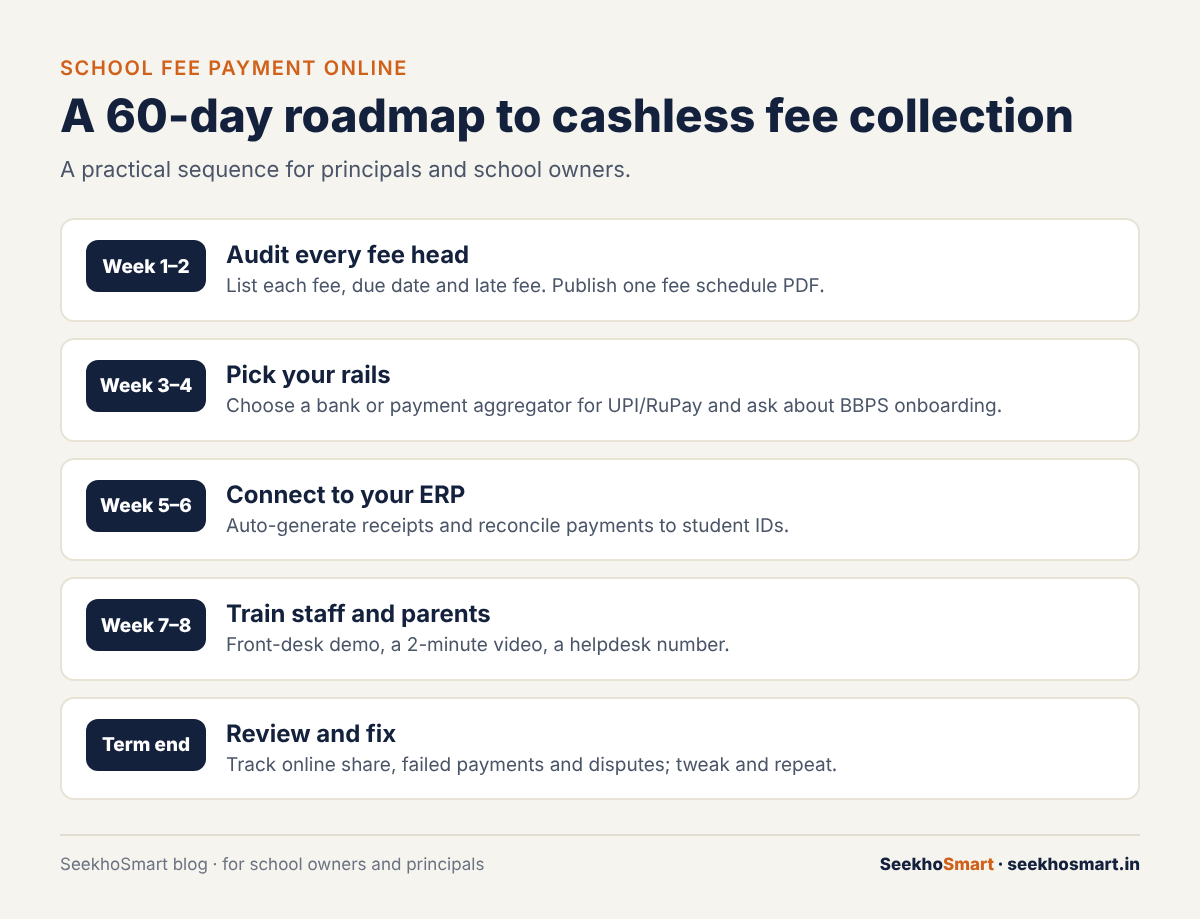
Weeks 1–2: Audit your fee heads
List every fee you collect, how it is paid today, and how many parents pay by cash, cheque or transfer. Publish one fee schedule. This is also the time to clean up student records, because online payments need a clean student ID for every child.
Weeks 3–4: Choose your payment partner
Talk to your bank or a payment aggregator about UPI and RuPay acceptance, and ask specifically about BBPS onboarding as a biller. Compare charges, settlement time and whether payments arrive with the student ID attached.
Weeks 5–6: Connect it to your ERP
If you use school ERP or management software, check that it can match payments to student IDs and issue receipts automatically. If it cannot, that is your biggest reason to upgrade. Manual matching is where errors creep in.
Weeks 7–8: Train staff and parents
The circular asks for awareness drives, and this is where they pay off. Run a short demo at the fee counter, share a two-minute video in parent groups, and set up a helpdesk number for payment problems. Take a few minutes at the next PTM to show parents how it works.
At the end of the term: Review
Track three numbers: the share of fees paid online, the number of failed or unmatched payments, and the number of fee complaints. If the online share is low, ask parents why. Usually it is one fixable problem.
Common mistakes to avoid
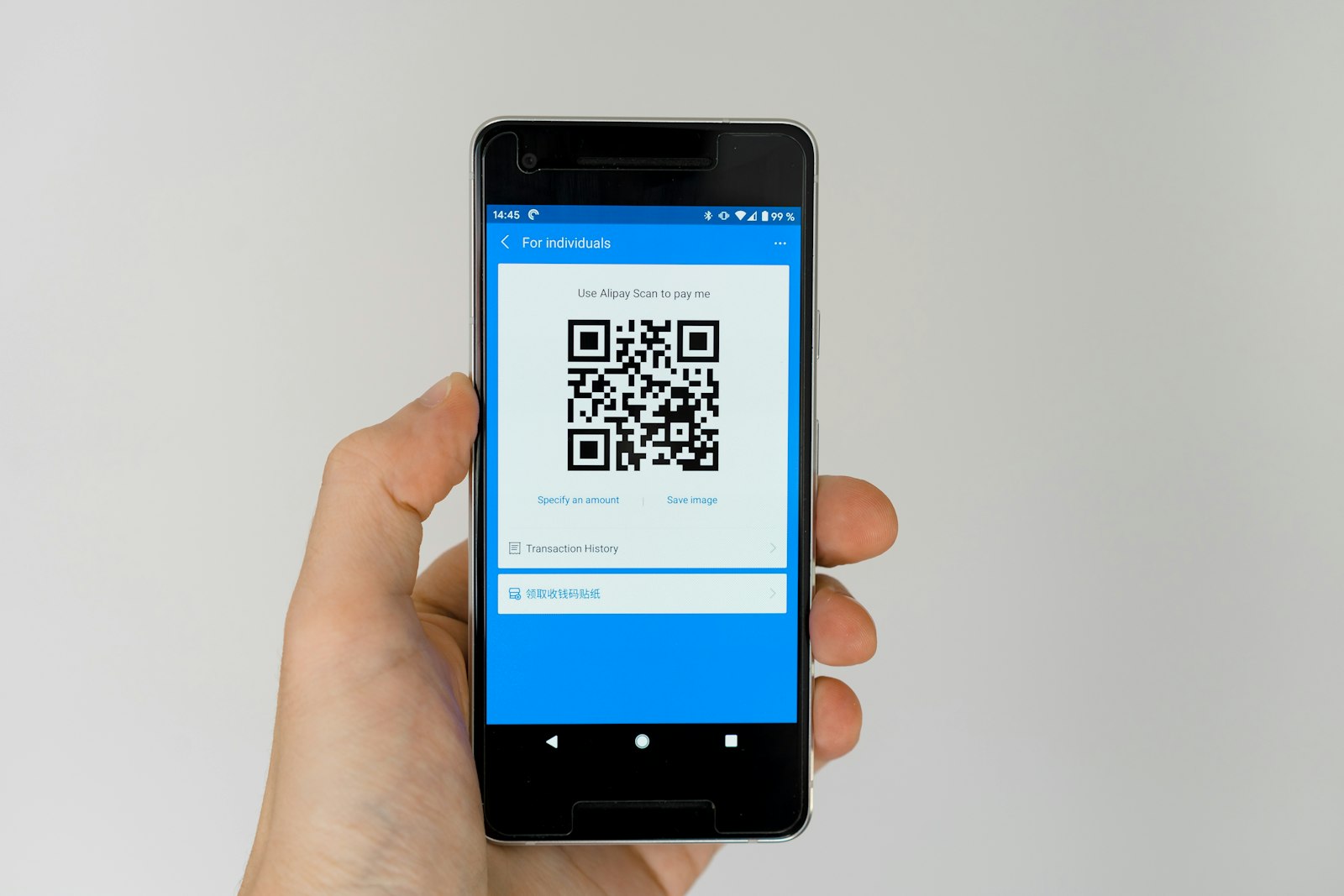
- Only putting up a QR code. Without automatic matching to student IDs, a QR code creates a new reconciliation problem.
- Forgetting staff training. The front desk must be able to answer "Did my payment go through?" in under a minute.
- Adding hidden convenience charges. If parents pay extra for paying online, they will stay with cash, and they will complain.
How SeekhoSmart helps schools add a digital learning layer
Moving fees online is often the first step in a school's digital journey. A natural next step is something parents care about just as much: visible progress in their child's learning. SeekhoSmart gives your Class 9–12 students NCERT-aligned practice with a 10-year PYQ bank tagged by chapter, and an adaptive daily study plan that adjusts to each student's weak areas, extending learning beyond school hours without adding to your teachers' workload. It works in Hindi and English, and it is free to start, so there is no upfront cost to try it with a class or section first.
Try SeekhoSmart for your school → seekhosmart.in
Frequently asked questions
Is online school fee payment mandatory for CBSE schools?+
No. Circular 12/2026 advises schools to promote digital payments and gives no deadline. Many schools will still accept cash for parents who need it.
What is Bharat Bill Payment System (BBPS) for school fees?+
BBPS, now called Bharat Connect, is an interoperable bill-payment network run by NPCI Bharat BillPay. Once a school is listed as a biller, parents can pay fees from many apps and bank sites and get instant confirmation.
What should school fee collection software do?+
It should match each payment to a student ID, issue receipts automatically, send due-date reminders and show unpaid fees by class. Check it can connect to UPI and BBPS.
How should a school send a fee payment notice to parents?+
Share one fee schedule at the start of the year and a polite reminder a few days before each due date, with the payment link and a helpdesk number.
- SeekhoSmart (infographic)
- SeekhoSmart (infographic)
- Markus Winkler / Unsplash
- Marielle Ursua / Unsplash
- Nikhita S / Unsplash